
Guide
Why Isn’t My DTF Printer Printing White Ink?
White ink is the most maintenance-hungry channel on any DTF printer. Here’s how to tell whether you’re looking at a five-minute fix or a real failure — and what to check before you spend money on a printhead.
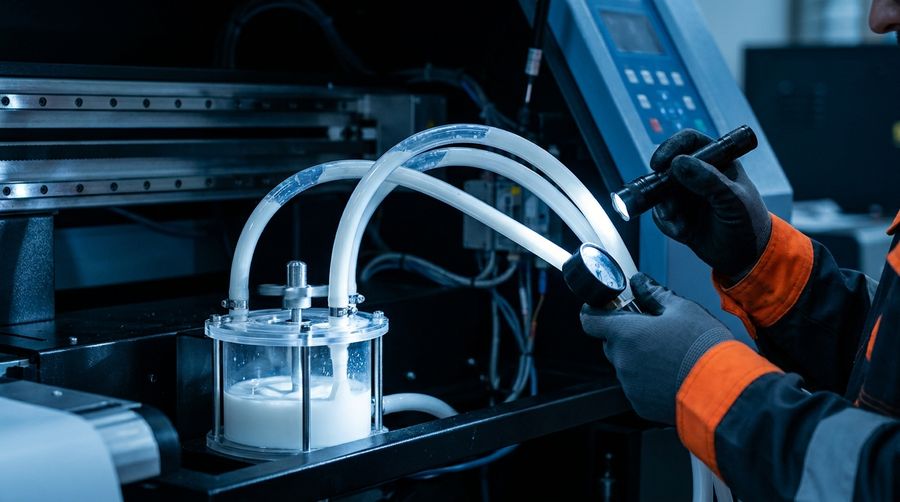
White DTF ink is pigment-heavy titanium dioxide. It is engineered to be opaque, which also means it’s dense and wants to settle. Almost every “no white” call comes down to one of a handful of causes below — usually not a dead printhead.
1. Settled or un-circulated ink
If the machine sat overnight (or over a weekend) without circulating, the white pigment settles in the tank, lines and dampers. The first thing to check is whether your circulation/stirring system is actually running. Shake or agitate the white bottle, run the circulation cycle, then a couple of cleaning cycles and a nozzle check. Many “dead” white channels come straight back.
2. A clogged damper or filter
Settled pigment loves to pack into the damper mesh and inline filters. If circulation and cleaning don’t restore flow, a clogged damper is the most common culprit. A damper is a cheap part; replacing one is far cheaper than a printhead.
3. A failing capping station or wiper
The cap station seals the nozzles and pulls ink during cleaning. A cracked or dried cap can’t hold vacuum, so cleaning cycles stop working and nozzles dry out. If cleanings seem to “do nothing,” suspect the cap.
4. Pump or ink-line problems
A weak pump or air in the lines starves the head. You’ll often see this as white that prints faintly, then fades across a job.
What to try before you call
- Agitate the white ink and confirm circulation is running.
- Run 1–2 cleaning cycles, then print a nozzle test.
- Compare the white rows before and after — take a photo.
- Check for ink actually moving in the lines during a clean.
If white is still missing after that, stop cleaning (repeated hard cleans waste ink and can stress the head) and get a diagnosis. It’s almost always a damper, cap or pump — not a head.