Guide
How to Read a DTF Nozzle Test
The nozzle test is the single most useful diagnostic on a DTF printer. Learn to read one and you can describe almost any print problem to a technician in seconds — and often fix it yourself.

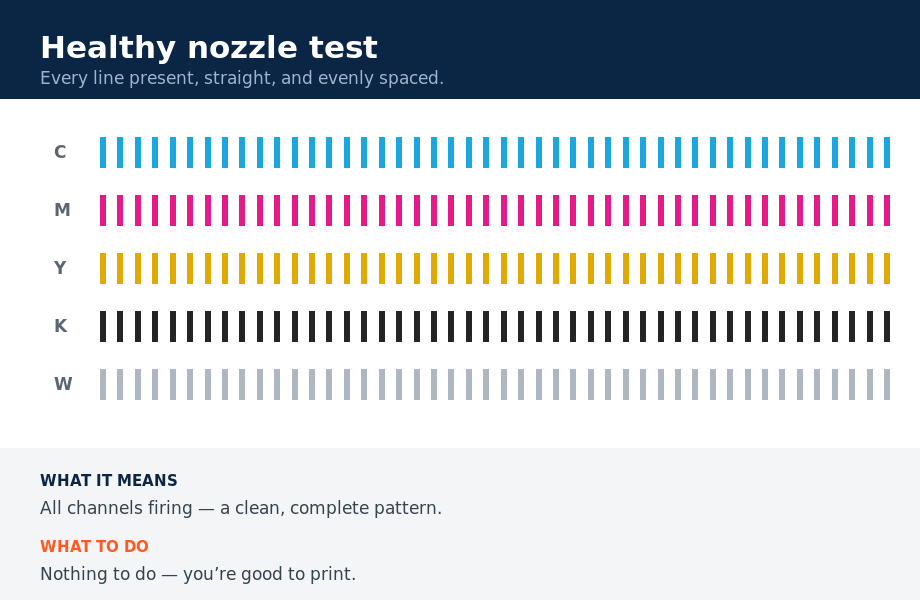
A nozzle test (or “nozzle check”) prints a stair-step pattern of fine lines for each color channel — typically C, M, Y, K and one or more White channels. Each tiny line is one nozzle firing. A perfect test shows every line present, straight, and evenly spaced.
What the patterns mean
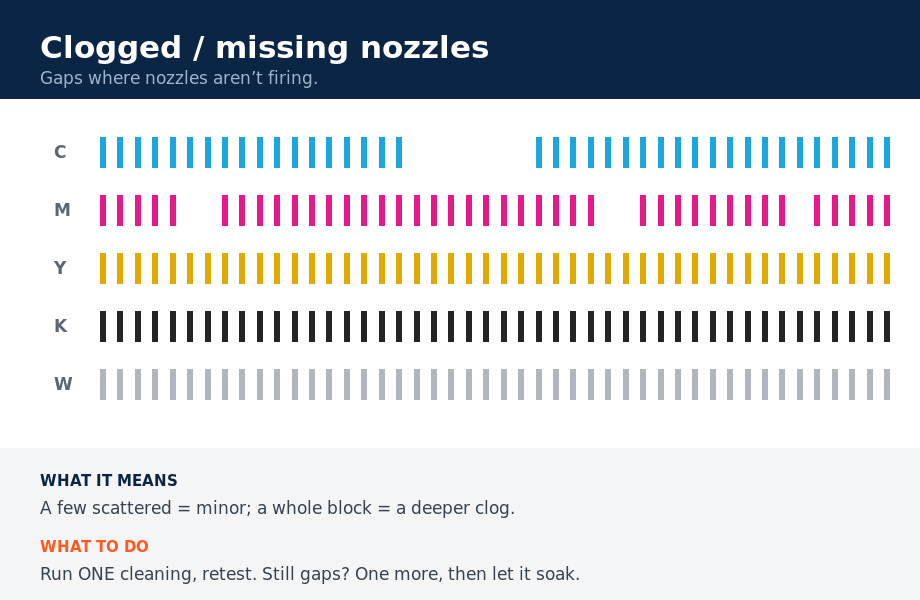
- Missing segments — gaps in a channel mean clogged or non-firing nozzles. A few = clean it. Whole blocks gone = deeper clog, damper or head issue.
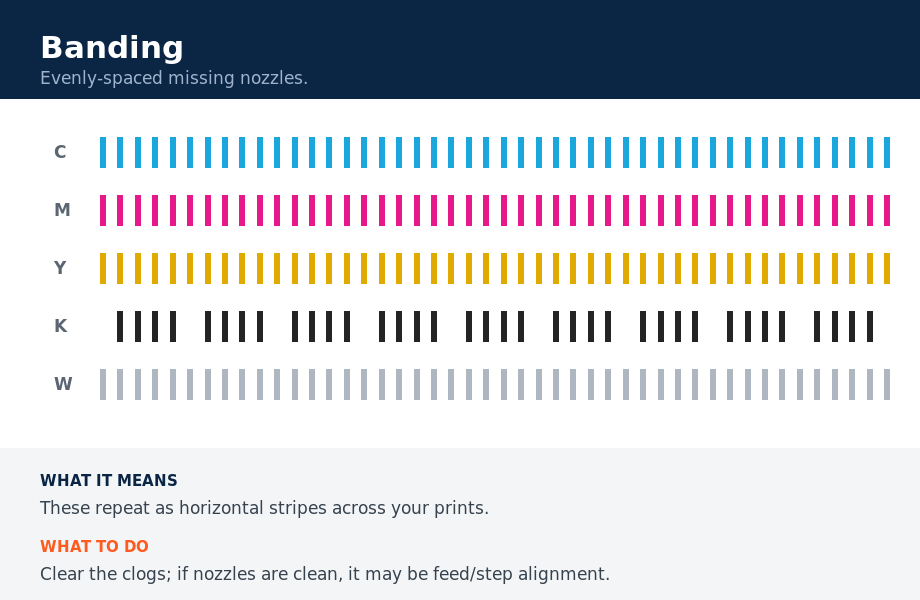
- Banding in prints — regularly spaced missing nozzles show up as horizontal stripes on finished transfers.
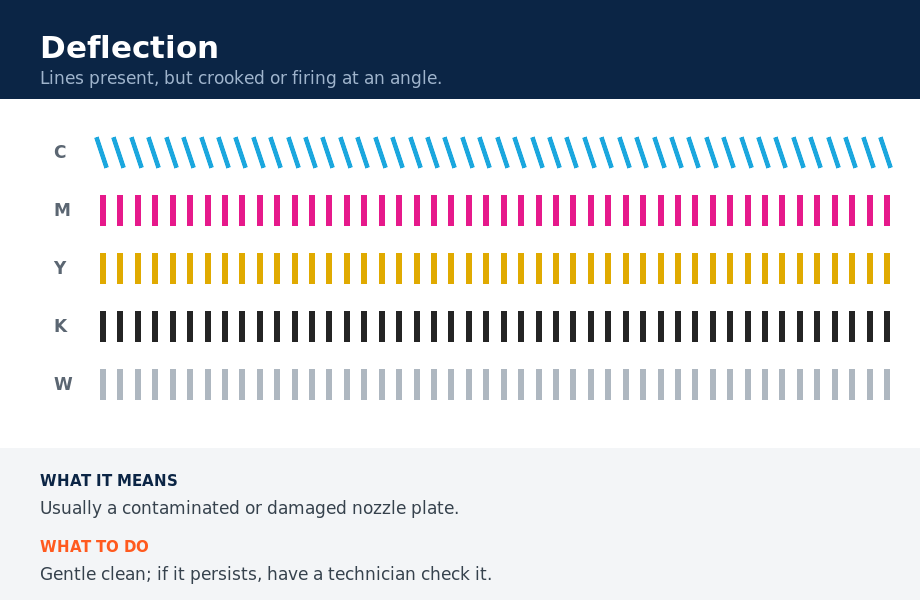
- Deflection — lines that are present but crooked or firing at an angle point to a contaminated or damaged nozzle plate.
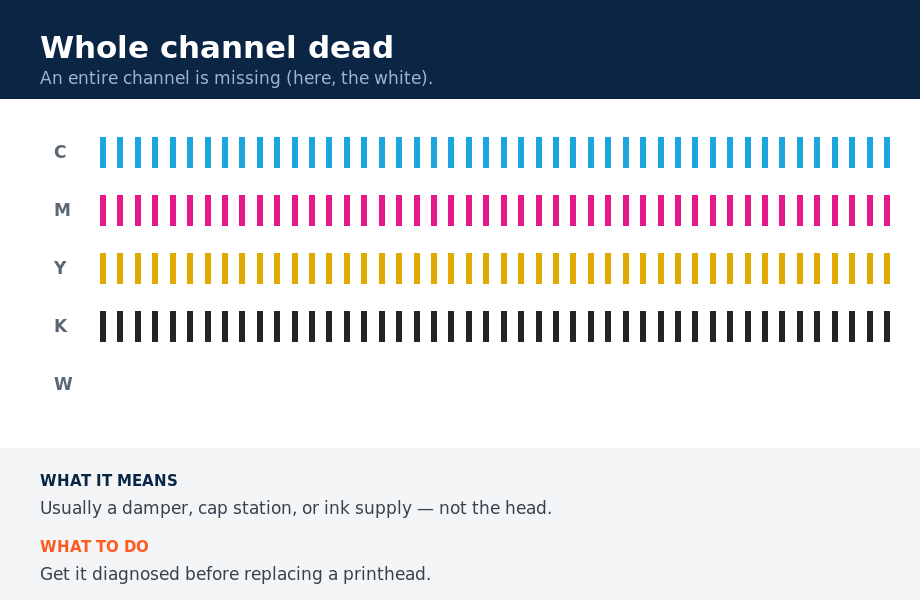
- Whole channel missing — usually a damper, cap or ink-supply problem rather than the head itself (especially on White).
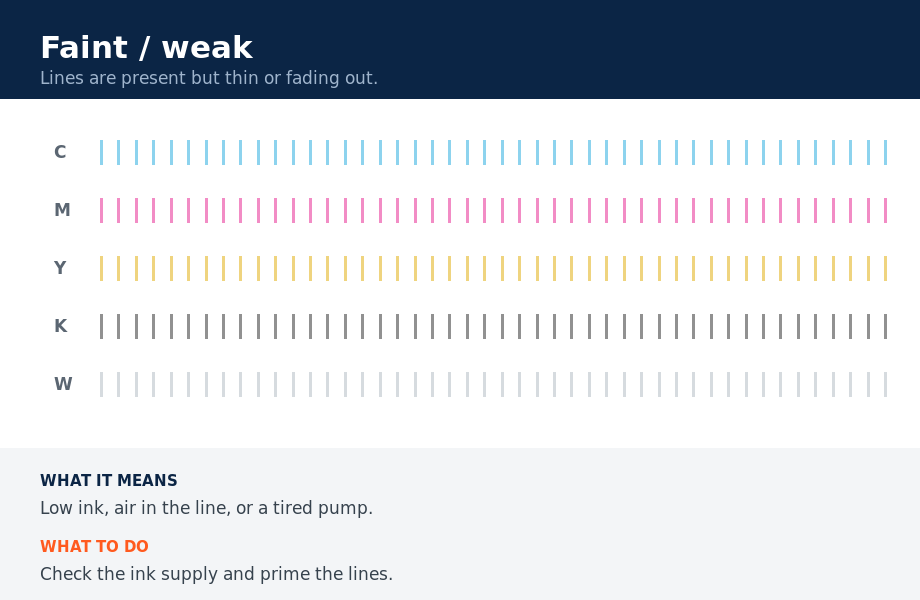
- Faint or fading — weak ink supply, air in the line, or a tired pump.
How to respond
- A few missing nozzles: run one normal cleaning, retest.
- Still missing: one more cleaning, then stop — repeated hard cleans waste ink and stress the head.
- Let a clogged head soak (cap it, leave a cleaning solution dwell), then retest.
- Whole channel or persistent block missing: get it diagnosed — it’s likely a part, not the head.
Save your tests
Print a nozzle test before and after any cleaning and photograph both. That before/after is exactly what a technician needs to diagnose remotely — and it’s proof of whether a channel is recovering or getting worse.
Not sure what your nozzle test is telling you? Text us a photo of it with your printer model.
Send Us Your Nozzle Test
Nozzle test visual guide
What different nozzle-test patterns look like — and what each one means.